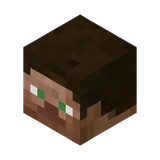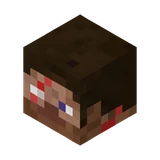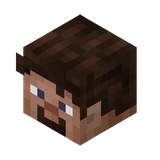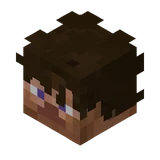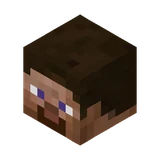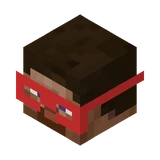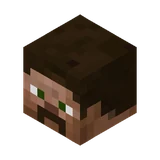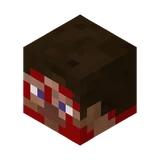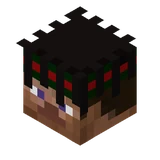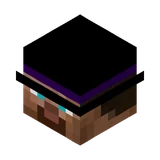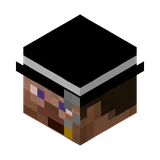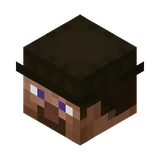
Steve
Humans · Custom player head #61575 ·
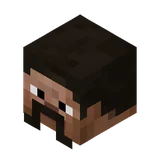
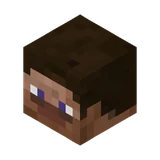
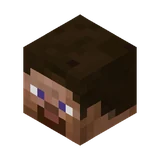
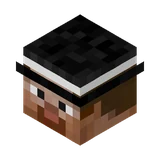
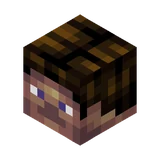
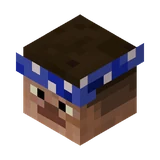
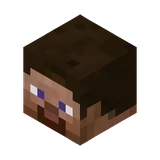
Presenting the classic, unaltered look of Minecraft's default protagonist, this head shows Steve with his signature brown hair, tan skin, and blue-violet eyes. The familiar pixel shading across his brow and nose stays true to the recognizable base character. Keep a few of these on hand for player graveyards, trophy rooms, or default mannequin displays.
Works on Java Edition with cheats on. The command gives you the head as an item you can place or wear.
Give command
Pick your Minecraft version. Paste the command into chat, or into a command block if it is longer than 256 characters.
/give @p minecraft:player_head[minecraft:profile={properties:[{name:"textures",value:"eyJ0ZXh0dXJlcyI6eyJTS0lOIjp7InVybCI6Imh0dHA6Ly90ZXh0dXJlcy5taW5lY3JhZnQubmV0L3RleHR1cmUvNzVhZDYyNjE4MTExMWU1NWViZmM5MDZhOGU3MDQwYzY2YjhlZmU5NGY3YzA3NDQ4ZDU3MTAwMTJkNjg0MzZjIn19fQ=="}]}] 1/give @p minecraft:player_head{SkullOwner:{Id:[I;860271341,1022444201,-1219516196,-1852639988],Properties:{textures:[{Value:"eyJ0ZXh0dXJlcyI6eyJTS0lOIjp7InVybCI6Imh0dHA6Ly90ZXh0dXJlcy5taW5lY3JhZnQubmV0L3RleHR1cmUvNzVhZDYyNjE4MTExMWU1NWViZmM5MDZhOGU3MDQwYzY2YjhlZmU5NGY3YzA3NDQ4ZDU3MTAwMTJkNjg0MzZjIn19fQ=="}]}}} 1/give @p minecraft:player_head{SkullOwner:{Id:"3346b2ed-3cf1-42a9-b74f-a8dc9192f50c",Properties:{textures:[{Value:"eyJ0ZXh0dXJlcyI6eyJTS0lOIjp7InVybCI6Imh0dHA6Ly90ZXh0dXJlcy5taW5lY3JhZnQubmV0L3RleHR1cmUvNzVhZDYyNjE4MTExMWU1NWViZmM5MDZhOGU3MDQwYzY2YjhlZmU5NGY3YzA3NDQ4ZDU3MTAwMTJkNjg0MzZjIn19fQ=="}]}}} 1/give @p minecraft:skull 1 3 {SkullOwner:{Id:"3346b2ed-3cf1-42a9-b74f-a8dc9192f50c",Properties:{textures:[{Value:"eyJ0ZXh0dXJlcyI6eyJTS0lOIjp7InVybCI6Imh0dHA6Ly90ZXh0dXJlcy5taW5lY3JhZnQubmV0L3RleHR1cmUvNzVhZDYyNjE4MTExMWU1NWViZmM5MDZhOGU3MDQwYzY2YjhlZmU5NGY3YzA3NDQ4ZDU3MTAwMTJkNjg0MzZjIn19fQ=="}]}}}/setblock ~ ~ ~ minecraft:player_head{profile:{properties:[{name:"textures",value:"eyJ0ZXh0dXJlcyI6eyJTS0lOIjp7InVybCI6Imh0dHA6Ly90ZXh0dXJlcy5taW5lY3JhZnQubmV0L3RleHR1cmUvNzVhZDYyNjE4MTExMWU1NWViZmM5MDZhOGU3MDQwYzY2YjhlZmU5NGY3YzA3NDQ4ZDU3MTAwMTJkNjg0MzZjIn19fQ=="}]}}How to use this head
- Turn on cheats in your world (Open to LAN → Allow Cheats, or create the world with cheats on).
- Copy the command for your version and paste it into chat with T or /.
- Place it or wear it. Right-click to place the head as a block, or put it in your helmet slot to wear it.
Bedrock Edition: custom textured heads are not supported by Bedrock commands. Only the vanilla mob heads can be given there. See how to get mob heads.
Texture details