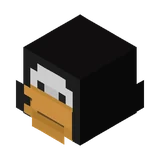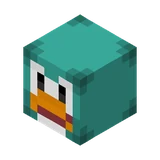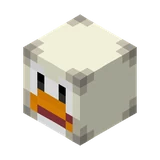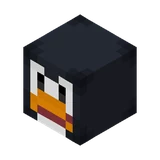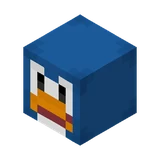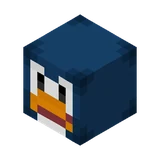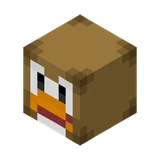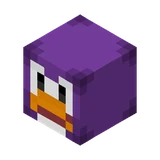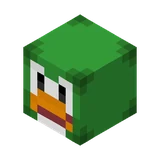
Dark Green Club Penguin
Animals · Custom player head #9450 ·
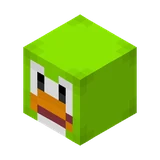
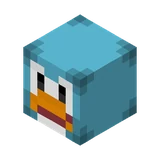
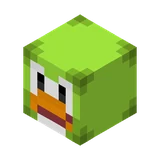
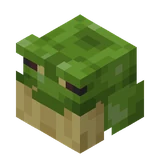
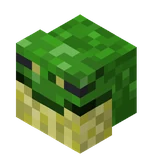
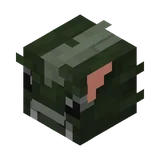
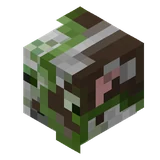
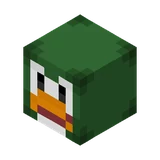
Dressed in deep forest green plumage, this head represents a dark green penguin avatar from the online game Club Penguin. It features the signature white eyes, black pupils, and bright orange beak on the front. Place it around a holiday-themed village, a winter market stall, or on a shelf in a toy shop to add a splash of dark green.
Works on Java Edition with cheats on. The command gives you the head as an item you can place or wear.
Colour
Game, film & franchise
Animal
Give command
Pick your Minecraft version. Paste the command into chat, or into a command block if it is longer than 256 characters.
/give @p minecraft:player_head[minecraft:profile={properties:[{name:"textures",value:"eyJ0ZXh0dXJlcyI6eyJTS0lOIjp7InVybCI6Imh0dHA6Ly90ZXh0dXJlcy5taW5lY3JhZnQubmV0L3RleHR1cmUvZDU4OGYyZGM2MjdkNmY3MWMyODBkZDhkYTk5MmYzY2Y4N2Y1ZDgxNmM1Yjg3MTViYmI0YTQwMzU1ZGY1NjlhYSJ9fX0="}]}] 1/give @p minecraft:player_head{SkullOwner:{Id:[I;1326732831,-1121433636,-1091577346,-93027173],Properties:{textures:[{Value:"eyJ0ZXh0dXJlcyI6eyJTS0lOIjp7InVybCI6Imh0dHA6Ly90ZXh0dXJlcy5taW5lY3JhZnQubmV0L3RleHR1cmUvZDU4OGYyZGM2MjdkNmY3MWMyODBkZDhkYTk5MmYzY2Y4N2Y1ZDgxNmM1Yjg3MTViYmI0YTQwMzU1ZGY1NjlhYSJ9fX0="}]}}} 1/give @p minecraft:player_head{SkullOwner:{Id:"4f14561f-bd28-47dc-beef-d9fefa74849b",Properties:{textures:[{Value:"eyJ0ZXh0dXJlcyI6eyJTS0lOIjp7InVybCI6Imh0dHA6Ly90ZXh0dXJlcy5taW5lY3JhZnQubmV0L3RleHR1cmUvZDU4OGYyZGM2MjdkNmY3MWMyODBkZDhkYTk5MmYzY2Y4N2Y1ZDgxNmM1Yjg3MTViYmI0YTQwMzU1ZGY1NjlhYSJ9fX0="}]}}} 1/give @p minecraft:skull 1 3 {SkullOwner:{Id:"4f14561f-bd28-47dc-beef-d9fefa74849b",Properties:{textures:[{Value:"eyJ0ZXh0dXJlcyI6eyJTS0lOIjp7InVybCI6Imh0dHA6Ly90ZXh0dXJlcy5taW5lY3JhZnQubmV0L3RleHR1cmUvZDU4OGYyZGM2MjdkNmY3MWMyODBkZDhkYTk5MmYzY2Y4N2Y1ZDgxNmM1Yjg3MTViYmI0YTQwMzU1ZGY1NjlhYSJ9fX0="}]}}}/setblock ~ ~ ~ minecraft:player_head{profile:{properties:[{name:"textures",value:"eyJ0ZXh0dXJlcyI6eyJTS0lOIjp7InVybCI6Imh0dHA6Ly90ZXh0dXJlcy5taW5lY3JhZnQubmV0L3RleHR1cmUvZDU4OGYyZGM2MjdkNmY3MWMyODBkZDhkYTk5MmYzY2Y4N2Y1ZDgxNmM1Yjg3MTViYmI0YTQwMzU1ZGY1NjlhYSJ9fX0="}]}}How to use this head
- Turn on cheats in your world (Open to LAN → Allow Cheats, or create the world with cheats on).
- Copy the command for your version and paste it into chat with T or /.
- Place it or wear it. Right-click to place the head as a block, or put it in your helmet slot to wear it.
Bedrock Edition: custom textured heads are not supported by Bedrock commands. Only the vanilla mob heads can be given there. See how to get mob heads.
Texture details
Texture value
Texture URL
UUID
Skin texture